
Build Trust With Better Reviews and a Stronger Google Presence
Automatically follow up after completed jobs, respond to reviews with AI assistance, route service concerns to the office, improve Google Business Profile completeness, and publish branded customer-review widgets on your website.
See what is complete and what still needs attention
Use an optimization score and structured profile sections to improve the business information customers see in Google.
Profile completeness
Review important business attributes from one guided workspace.
Images and service details
Keep profile content, categories, services, and contact channels visible.
Improvement score
Measure profile progress as missing elements are completed.

Follow up after every completed job—and act quickly when a customer needs help
Turn job completion into a consistent feedback workflow. The system can request feedback, direct customers to connected review destinations, assist with responses, and alert the office when a low score signals a service issue.
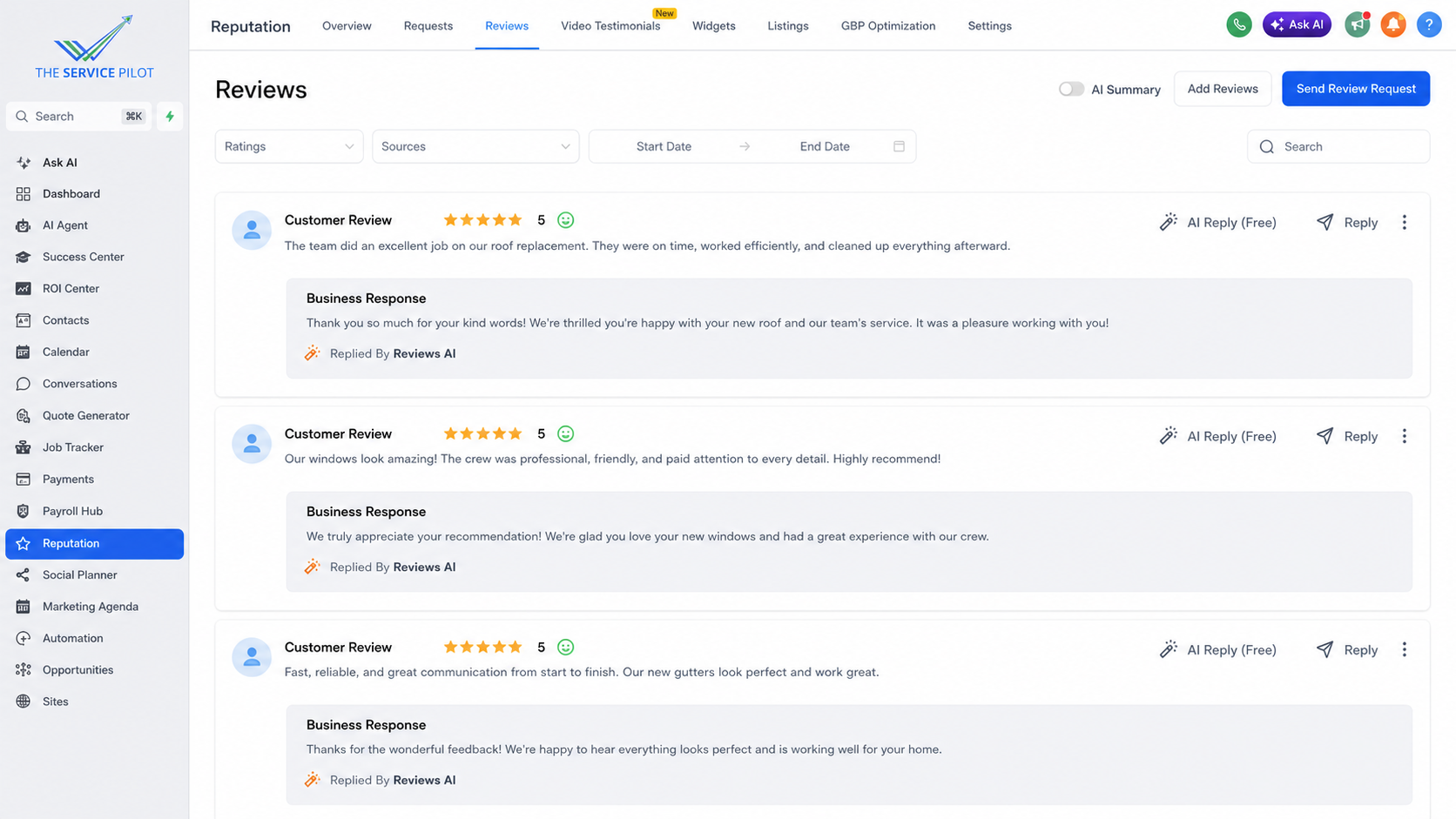
Job completed
A completed job automatically starts the follow-up workflow using the timing and rules set by the business.
Review outreach
Send a timely request and connect customers with the business’s Google listing and selected social review channels.
AI-assisted responses
Draft or publish on-brand responses according to the business’s approval settings, with human control available when needed.
Low-score office alert
Route low scores and service concerns to the office immediately so the team can contact the customer and work toward a resolution.
Resolve concerns without review gating
Every customer can receive the same opportunity to leave honest public feedback. Low-score alerts create an additional service-recovery task for the office; they do not block, hide, or discourage a customer’s review.
Turn customer feedback into website trust signals
Select from multiple widget templates, preview the presentation, and publish approved reviews in a style that fits the website.
Template library
Choose from light, dark, colorful, and compact review layouts.
Responsive preview
Review the widget presentation for desktop and mobile before publishing.

Request, manage, publish, and improve
Review requests
Keep the process of asking satisfied customers for feedback organized.
Reviews and testimonials
Bring written and video proof into the same reputation workflow.
Listings and optimization
Connect review management with the broader visibility of the business.
Reputation Management questions
Can review requests be sent automatically after a completed job?
Yes. Job completion can trigger a timed outreach workflow using the rules and connected review destinations selected by the business.
Can AI respond to customer reviews?
Yes. AI can create on-brand response drafts or respond according to the business’s approval settings, while sensitive situations can remain under human review.
What happens when a customer gives a low score?
The office can receive an immediate alert and service-recovery task so the team can contact the customer and address the concern. The customer’s ability to leave honest public feedback remains available.
Can reviews be displayed on the business website?
Yes. Review widgets can be previewed, styled, saved, and embedded on the website.
Does the platform help with Google Business Profile completeness?
Yes. The optimization workspace organizes important profile fields and shows progress.
Make a strong reputation easier to see
Bring reviews, Google profile improvements, and website proof into one workflow.